
NOT BASEBALL
I was looking for graphing software for my iPad that handled aysmptotes better than any of the other calculators I have installed. I found an app called Desmos. After experimenting on my iPad I found that Desmos could also be run right from their website. And better yet, you could save documents right to your Google Drive so that they could be opened anywhere.
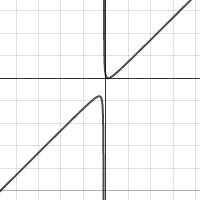
Click on the Image to Open the Graph
THE GOOD: Desmos allows multiple graphs. You can toggle graphs on and off. You can add a table that is in the equivalent of Texas Instruments ask mode. If you are projecting the graph a setting increases graph thickness and font width. It automatically finds maximums, minimums and intersects. Zooming is easy using the wheel on a mouse or pinching on the app. The app and the website are free and ad free.
WHAT’S MISSING: Intersection features are hard to use or missing [EDIT – NOPE FOUND THEM]. You can draw dashed lines, but I couldn’t find a way to graph inequalities [EDIT – JUST TYPE ]. I did not try to graph any implicitly defined equations, but I don’t think it has this feature [EDIT – IT DOES].
All in all this is good presentation software and it is easy to share the graphs using links generated by the software. For most of my algebra lessons I would use this in place of the TI-84 if I were just presenting or the students had access to computers or smart phones. For interactive lessons the TI-84 still has a place because of the technology available to students.
EDIT: AND EASY PARAMETERS AND POLAR COORDINATES AND … THIS IS GREAT!
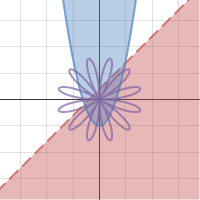
 Baseball and Not Baseball